Creating a Math Jeopardy Game with Formulas
Real exponents, fractions, and equations — not typed-out approximations

If you've tried building a math quiz in most Jeopardy makers, you've probably ended up typing things like x^2 + y^2 = z^2 or sqrt(2)/2 because there was no way to actually format an exponent or a fraction. It reads fine to a teacher, but it's a little rough for students staring at a projector. The Jippis creator has a rich text editor built into every question and answer field, with real superscripts, subscripts, and a full equation editor for anything more involved.
Superscripts and subscripts for everyday exponents
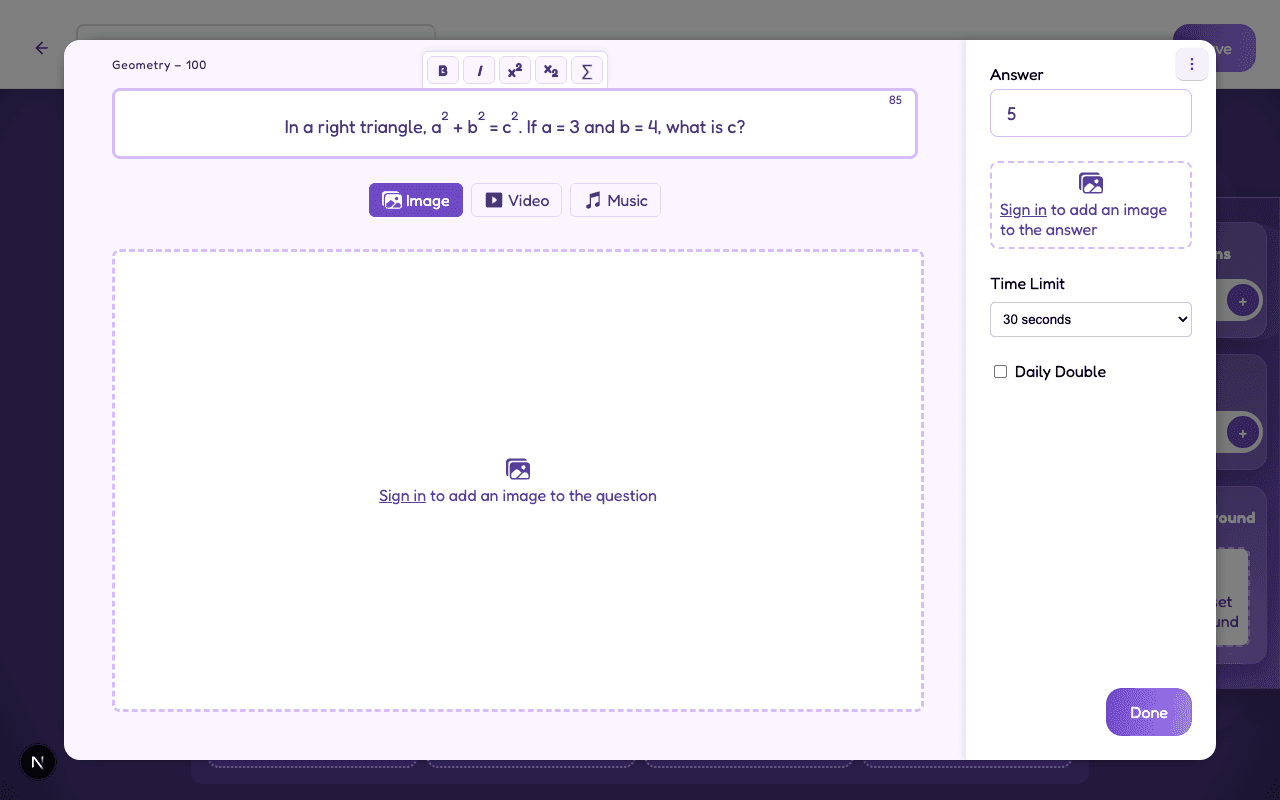
For simple exponents and indices, you don't need a separate tool at all. Select the toolbar's x² or x₂ button before typing a character (or after selecting one you already typed) and it raises or lowers exactly like it would in a textbook. The same toolbar has bold and italic too, for whenever you want to emphasize a variable or a term.
Here's the Pythagorean theorem written this way — three quick taps of the superscript button while typing, nothing more:
Full equations with the formula editor
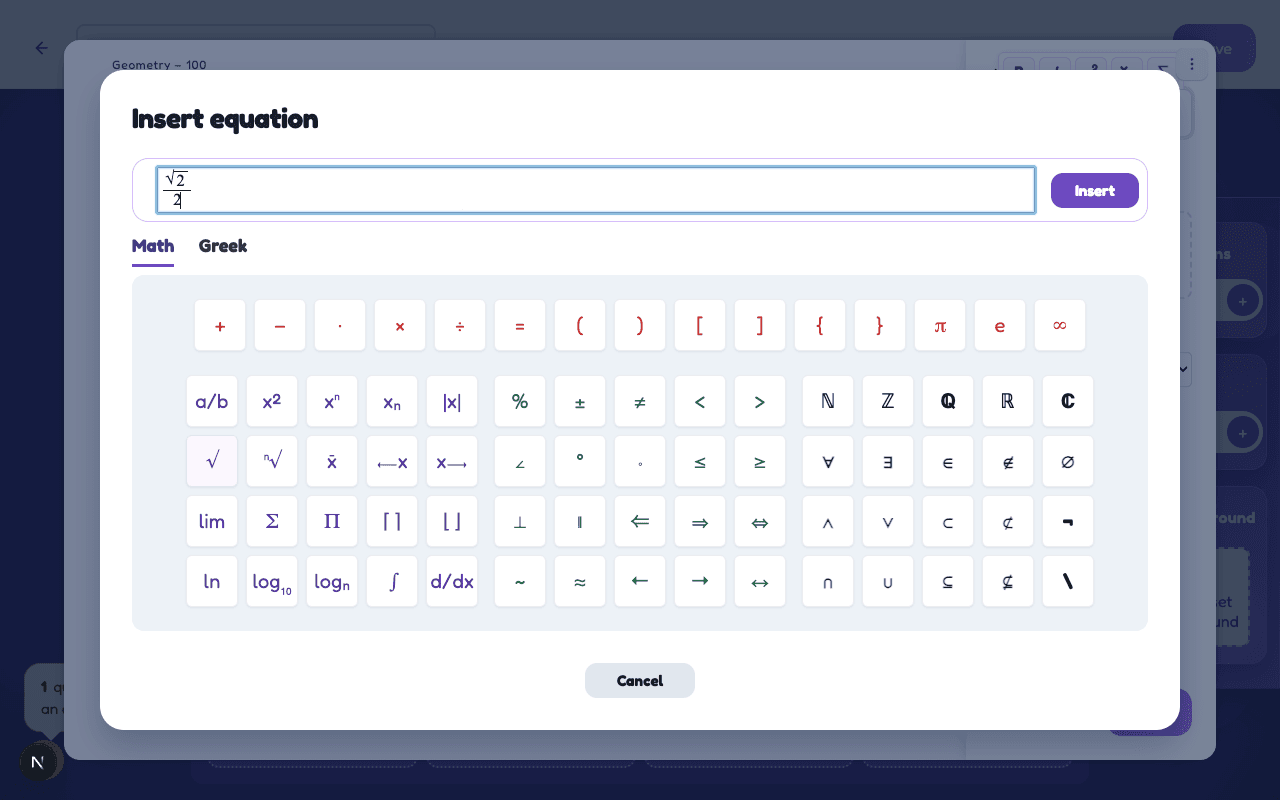
For anything with more structure — fractions, square roots, sums, integrals, or Greek letters — click the ∑ button in the toolbar. It opens a dedicated equation editor with a symbol palette down one side, so you build the formula by clicking pieces into place rather than remembering LaTeX syntax. Tab moves you from a fraction's numerator to its denominator, the same way it would in any equation editor you've used before.
This works in the answer field too, which matters more than it sounds — a lot of math questions genuinely need a formula in the answer, not just the clue. Here's √2⁄2 — the answer to "what is sin(45°)?" — being built from the fraction and square root buttons:
Good to know: formulas render the same way everywhere — while you're editing, in the board preview, and on the actual live game. What you build in the editor is exactly what your players see.
How it looks when you play
Once the game is running, the question types out on screen the same way any Jeopardy clue would — except now the exponents actually sit above the baseline instead of being spelled out with a caret:
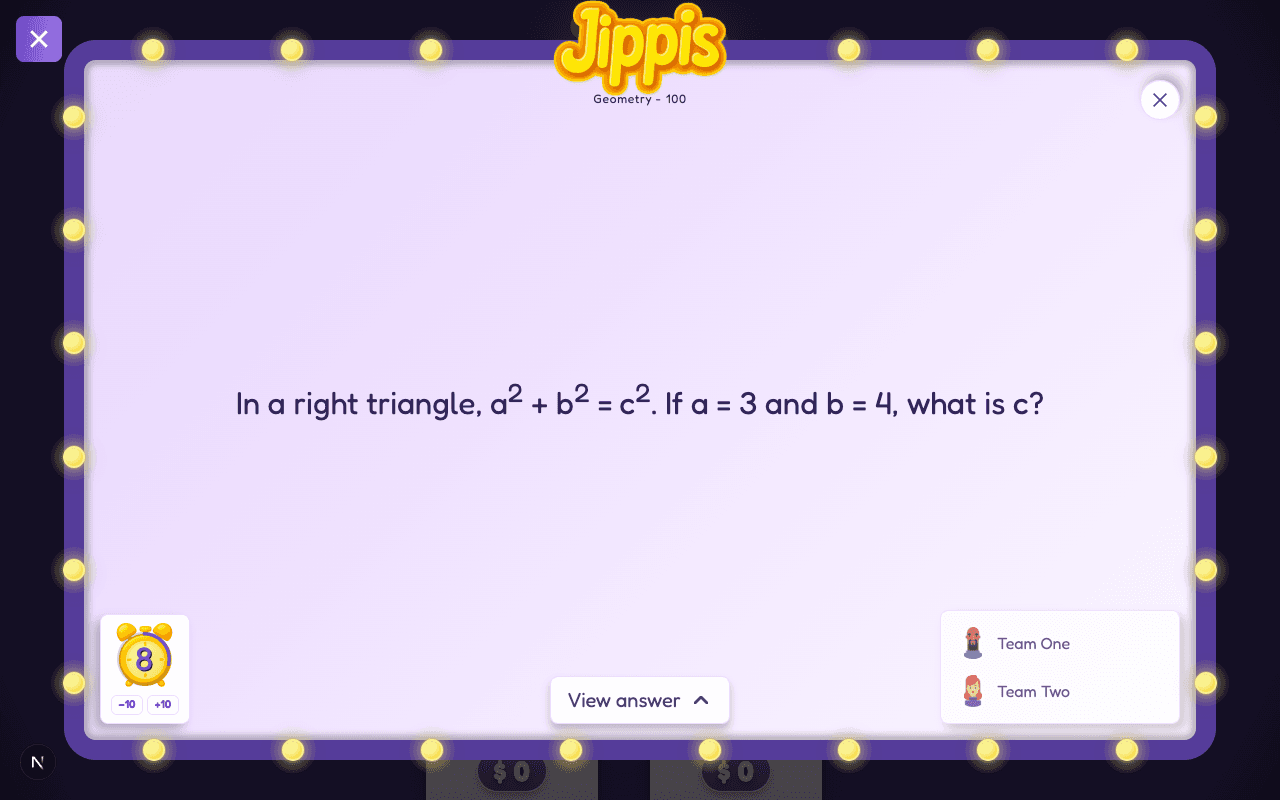
It's a small thing, but it changes how a math round feels to play — players are reading actual notation, not decoding shorthand. Works just as well for a chemistry round (H₂O), physics (E = mc²), or anything else that leans on real symbols.
Ready to build one? Open the Jippis creator and click the ∑ button on any question to try the formula editor.